Matthew Burchat
Portfolio Of
Game & Level Design

Esophaguys is a local couch co-op party game where up to 4 players can play as elderly people with extendable necks. Players use their neck mechanics to traverse through levels and solve puzzles either alone or with a group of friends in this very weird and unique world.
This game was our team's capstone project for our fourth and final year of our game design program. We started working on this game in Semptember of 2021 and got to present the game at XP Game Summit in April. People loved the game and the industry guests who reviewed all the games at the event especially loved our wacky mechanics and interesting art style. Even though capstone was over by then, everyone on the team believed there was a lot more potential for the game and so we worked on the game for about 4 years and through lots of hard work, released on Steam and Console platforms in August 2025.
Trailer for Esophaguys
Here are some links if you want to skip to a certain section
Game Design
There are a LOT of secondary mechanics for Esophaguys and I took all those mechanics and created fun levels for the players that are both enjoyable and a little bit challenging. When designing mechanics for Esophaguys, through lots of trial and error, I came to realize there were 3 questions I had to ask myself when designing good and effective mechanics for the game:
-
Does this mechanic effectively use the player's neck(s)?
-
How can this mechanic interact/combine with other mechanics?
-
Is it just fun to interact with?
Those were the questions that needed a good answer when assessing designs for new secondary mechanics. Here are some of my favorite mechanics I designed for Esophaguys:
Single Player Mechanics
Campaign mode are the levels that we assume players are going to dive into first. Because of that, the first couple of levels in the campaign have mechanics that are easy to understand but are visually interesting, fun to interact with and also only require 1 neck. Some of these mechanics are traversable mechanics, mechanics that don't necessarily use the neck but are there to compensate for lack of number of necks and later in the campaign, can be combined with other mechanics once players familiarize themselves with the character controller.
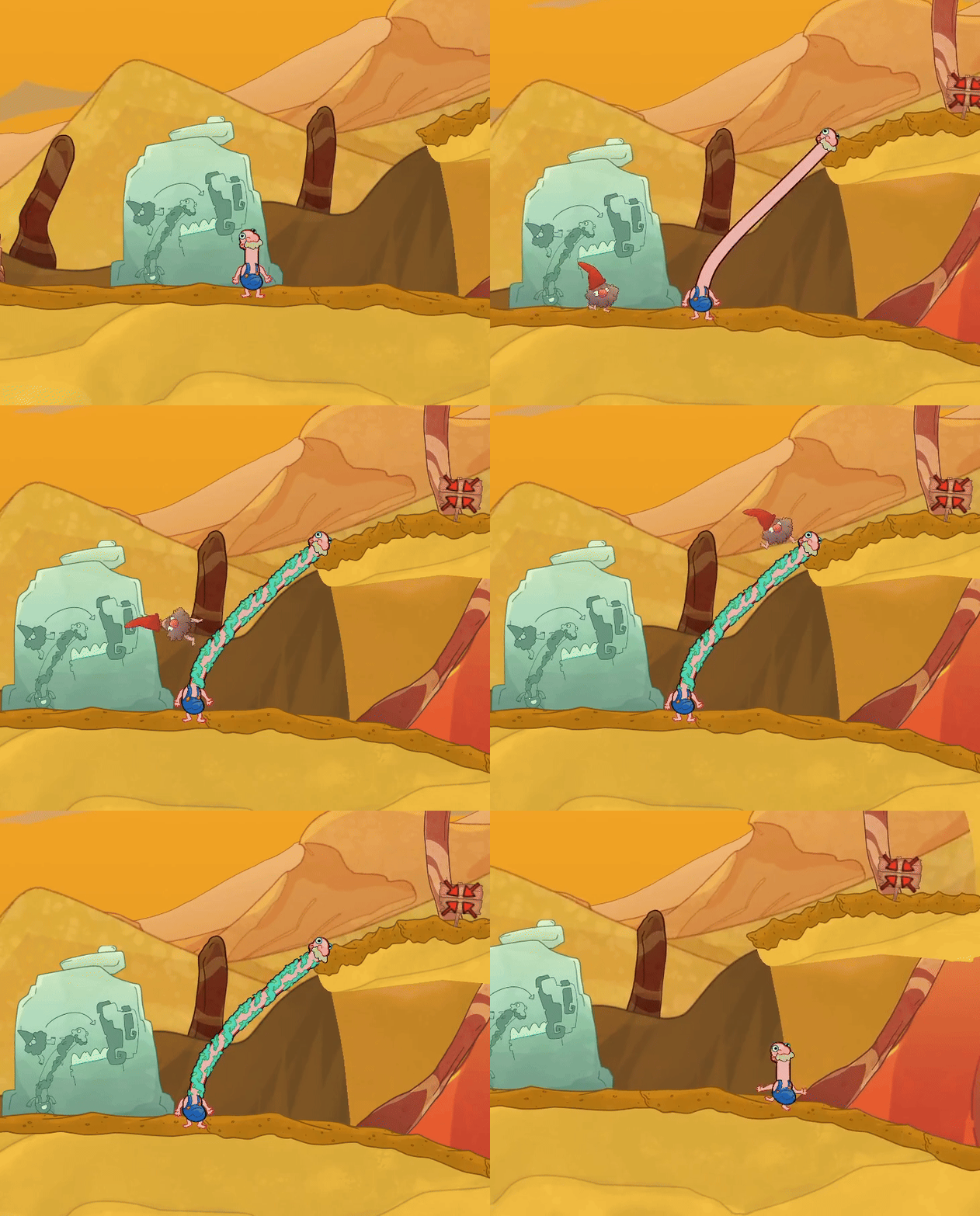
Gnomes
Creatures that move one direction and flip when they hit an obstacle. Player can only interact using Traversable Neck. We created Traversable Neck as a player mechanic but there were very few instances where it was better than just regular biting. Gnomes were the first secondary mechanic that solved the problem of Traversable Neck not having any real purpose in the game.
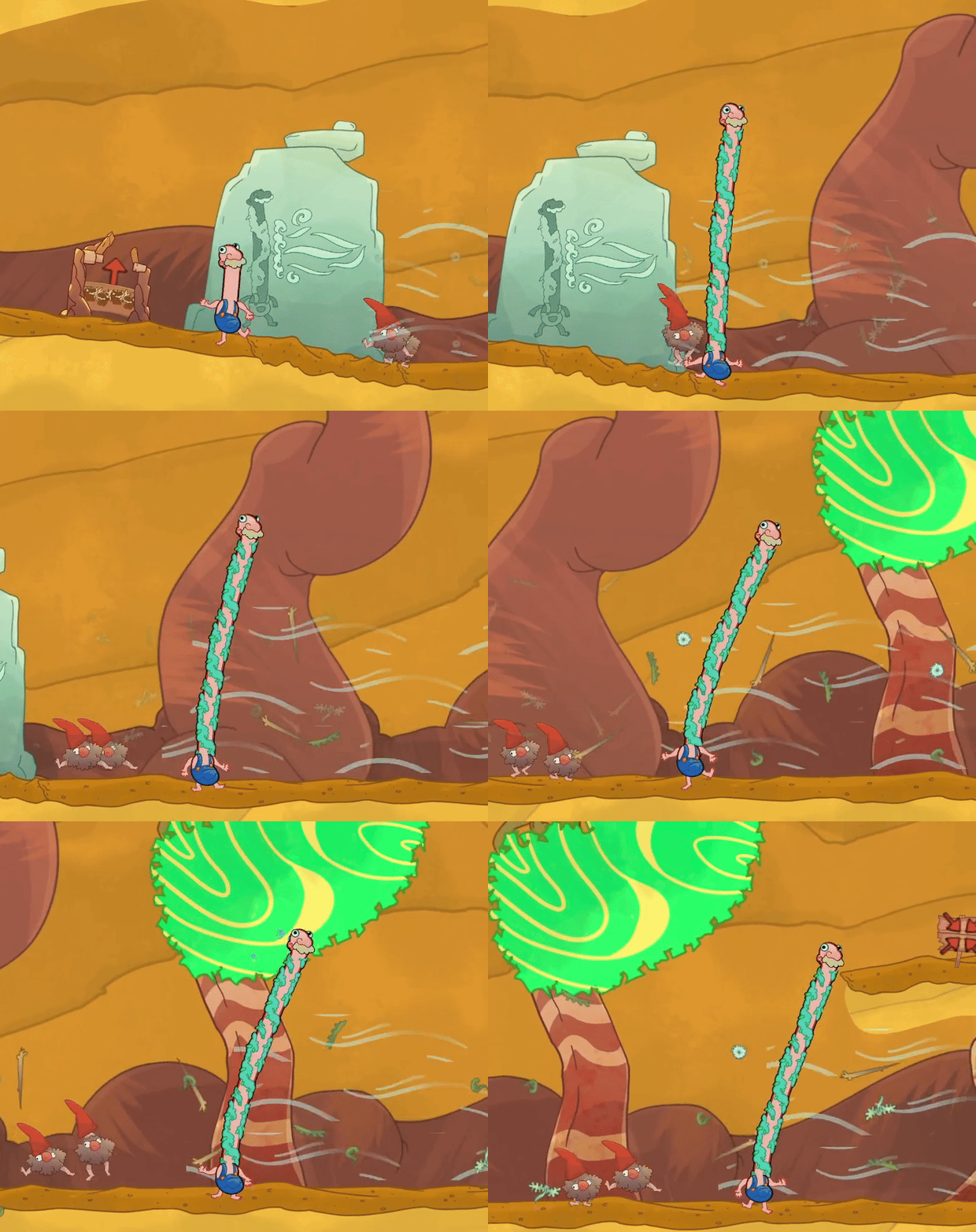
Traversal Neck & Wind Tunnel interaction
If a Wind Tunnel is an obstacle for the player, they can use the Traversable Neck to block the Wind Tunnel effect Another great solution to the problem of giving Traversable Neck purpose. Allows for some interesting puzzle scenarios like this example where the player is blocking the Wind Tunnel, allowing for themselves and gnomes to continue forward
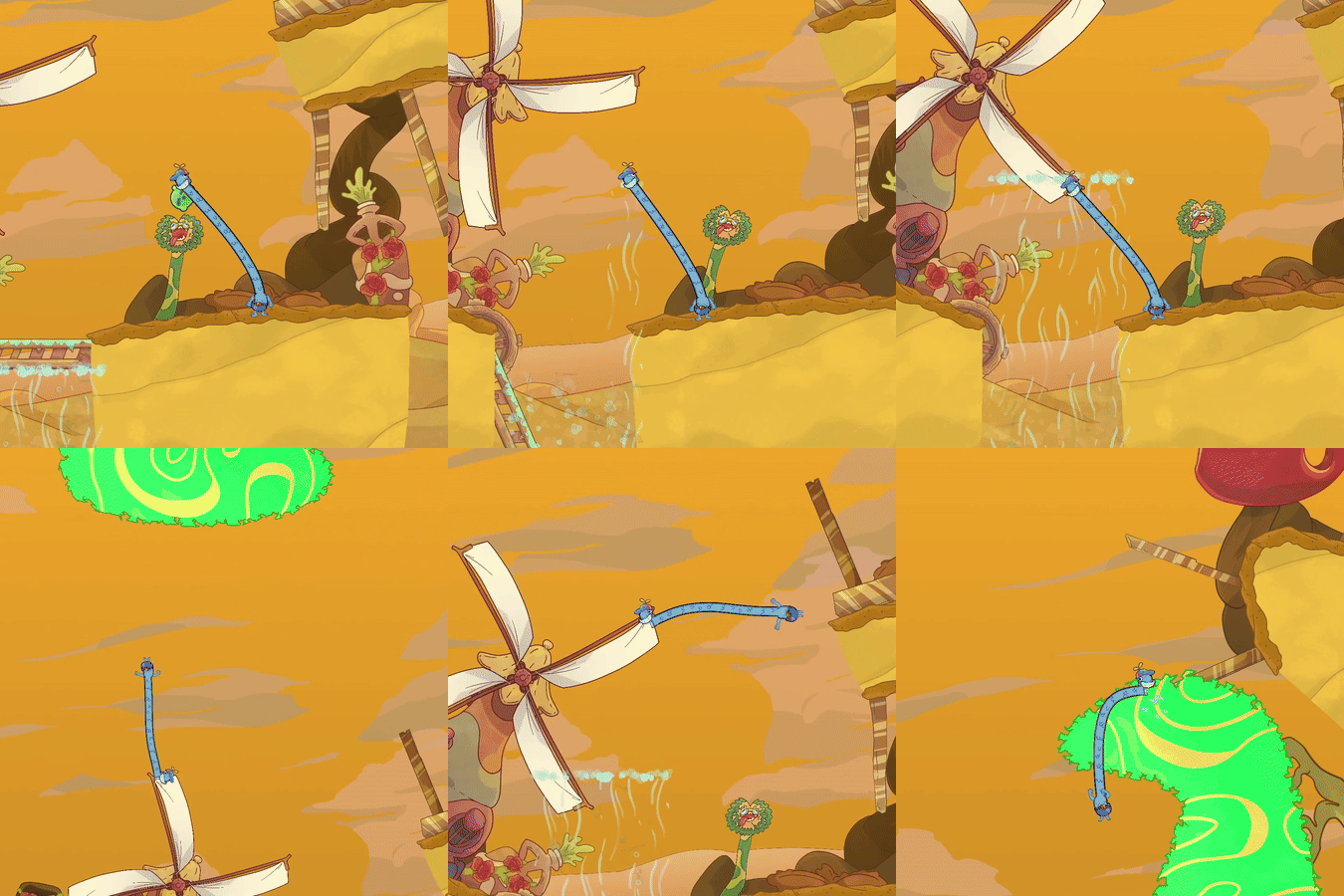
Windmill & Wind tunnel Interaction
Wind Tunnels rotate the direction and increase the speed of a Windmill if the path of the Wind Tunnel connects to it. A great puzzle mechanic that doubles as a fun traversal mechanic because it lets players jump far distances as a solo player.
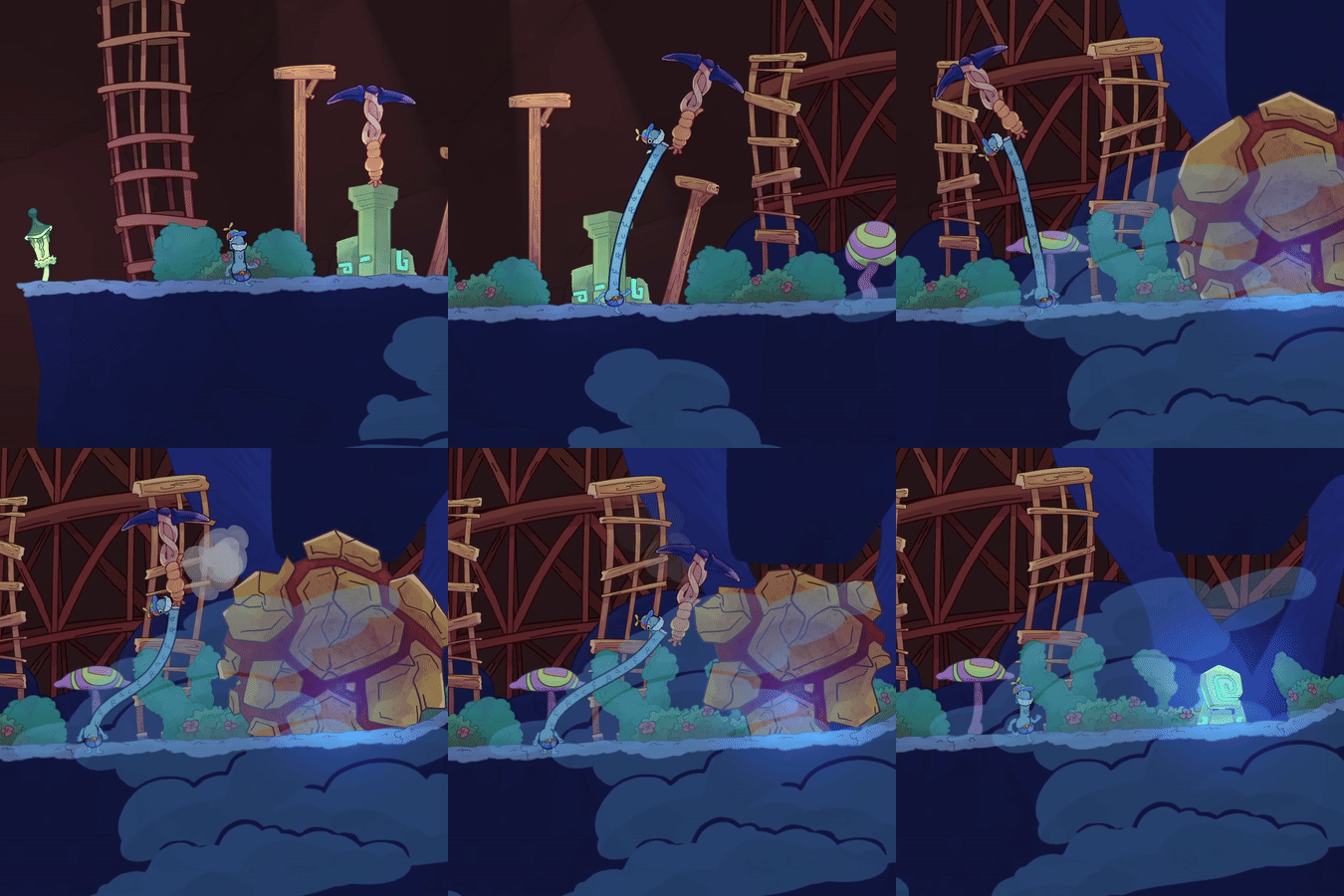
Pickaxe & Breakable Walls
A tool that can be picked up by the player and if they swing hard enough against a wall, it breaks after a few hits Our first tool introduced into the game that is simple but another fun neck interaction and also has wacky neck motion
2 Player Mechanics
2 player mechanics were designed to really encourage players to work together but also not overwhelm the players with purely 2 person secondary mechanics and level designs. I found that Esophaguys is fun working together but it's nice for players to also have individual roles in certain scenarios. Finding that balance through testing was key.
Some solo mechanics we reused in the 2 person co-op levels were the Geckos, Windmills, Wind Tunnels, Bridges, and Bridges w/ Trees. While designing the campaign puzzles with these mechanics, I would often just create puzzles on the side because I had an idea for co-op puzzle designs that I couldn't use for the solo campaign and wanted to save them for later.
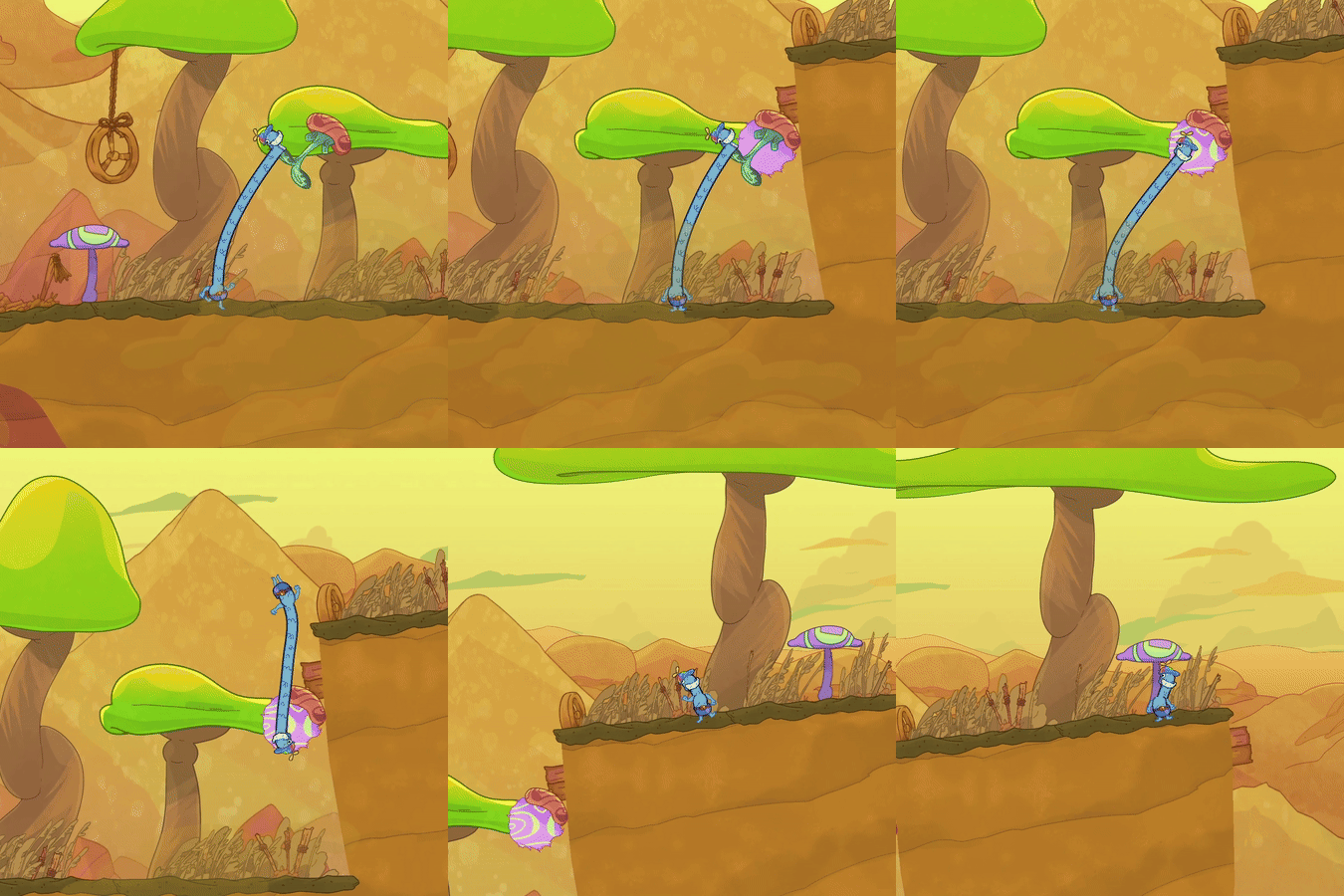
Chisel
When touching a terrain piece, players can let go of the Chisel to turn it into a bite point. It can be placed anywhere The hammer and chisel were initially designed with the idea of two players using cooperation with tools to break a wall. One player using the hammer to hit the chisel which was being held by another player. We wanted to give these mechanics individual use cases and this was the chisels.
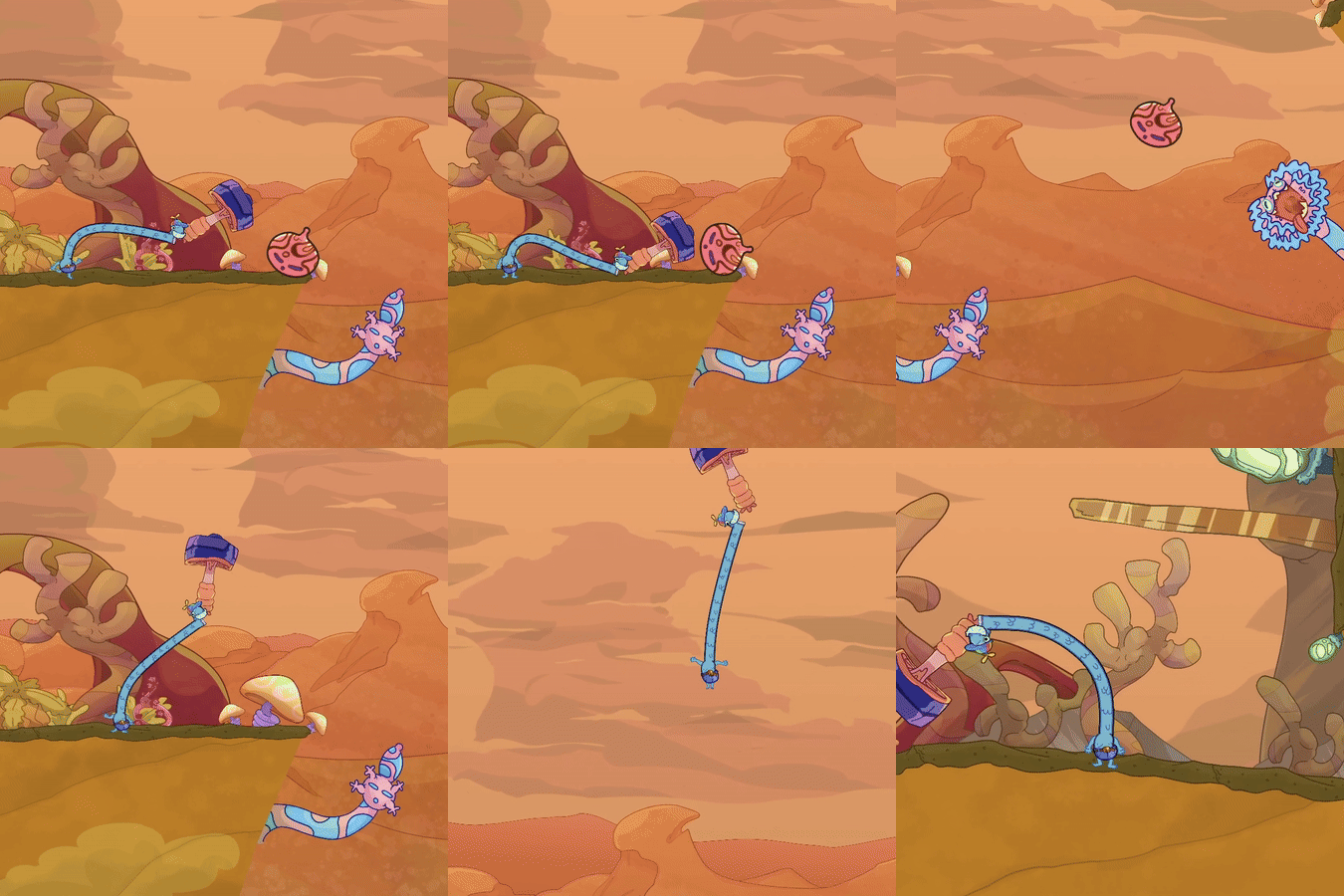
Hammer
When hitting a heavy fruit with the hammer, you launch it like a bat hitting a baseball The hammer can also break the bite point version of the chisel to unstick it from the bite point form.
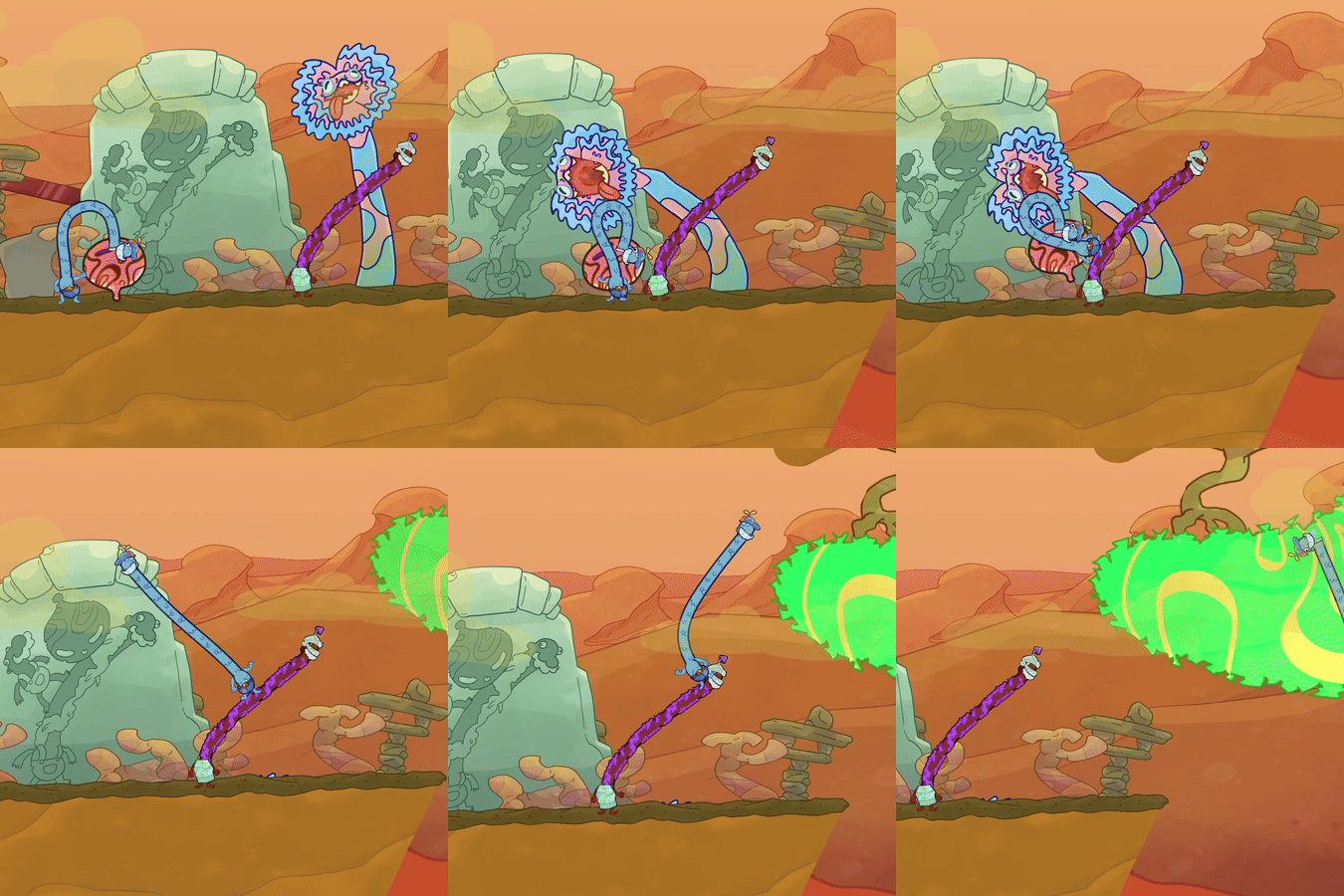
Heavy Gecko/Heavy Fruit
These fruits can't be lifted easily so players need to use Traversal Neck get the heavy fruit across gaps or to feed the Gecko A familiar mechanic to players, adjusted for a 2 player use case.
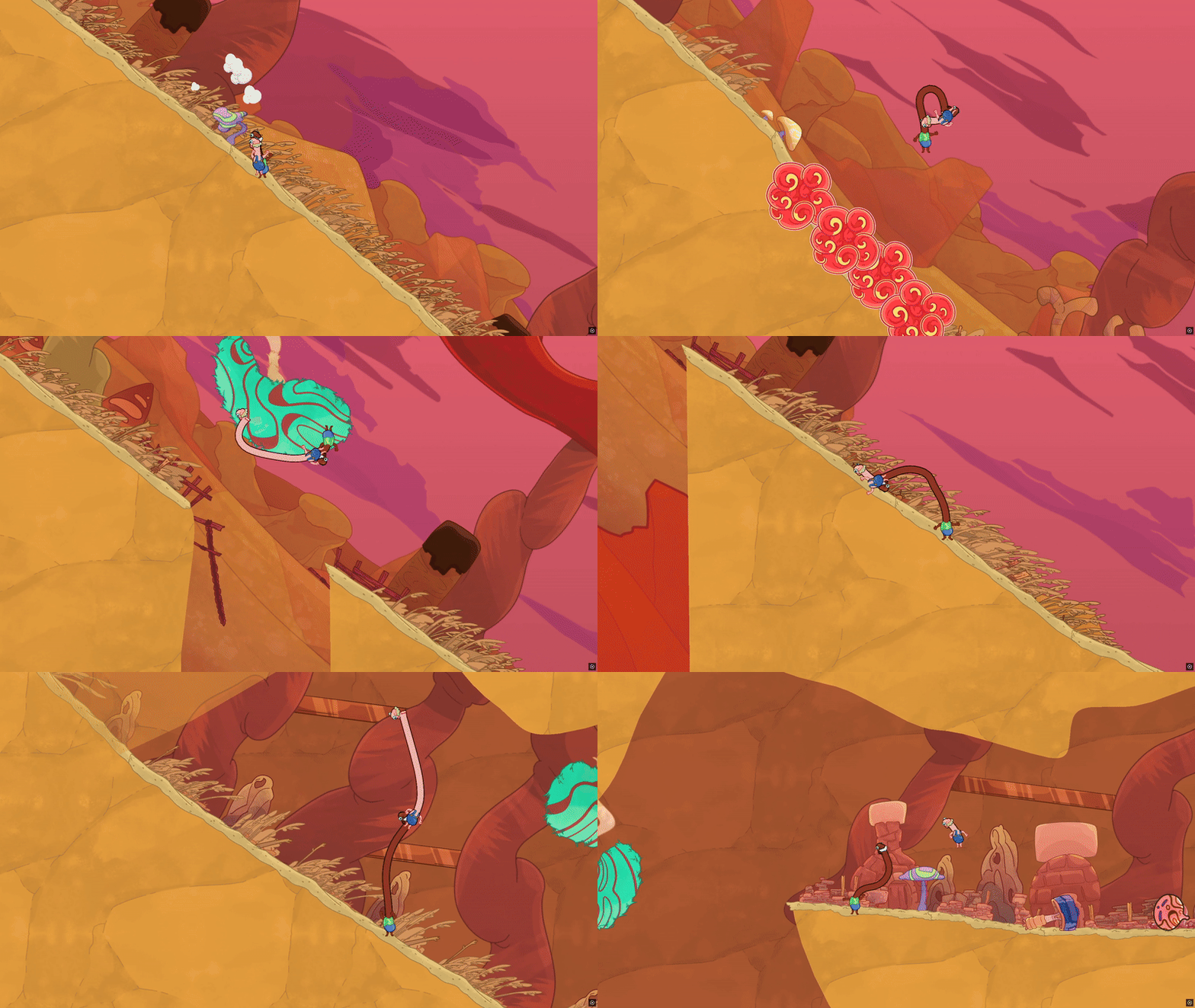
Sliding Section
Terrain that is slippery to players, making them slide down. Additionally, they might have to react to obstacles as they go Explained a bit more in my level design section but this mechanic was one of the most fun playtested mechanics I've made, I went back in multiple levels to add this throughout.
4 Player Mechanics
There were a few secondary mechanics we reused in our 4 Person Co-op Block like Gnomes, Sliding Sections and Pickaxes w/ Breakable Walls along with a few more because they all had good solo, 2 person and 4 person scenarios. We introduced one new main mechanic into the 4 person co-op block, but this mechanic for me personally is my favorite mechanic in the game because of the coordination it requires players to have and the many puzzle scenarios it creates along with the one variant we have for it.
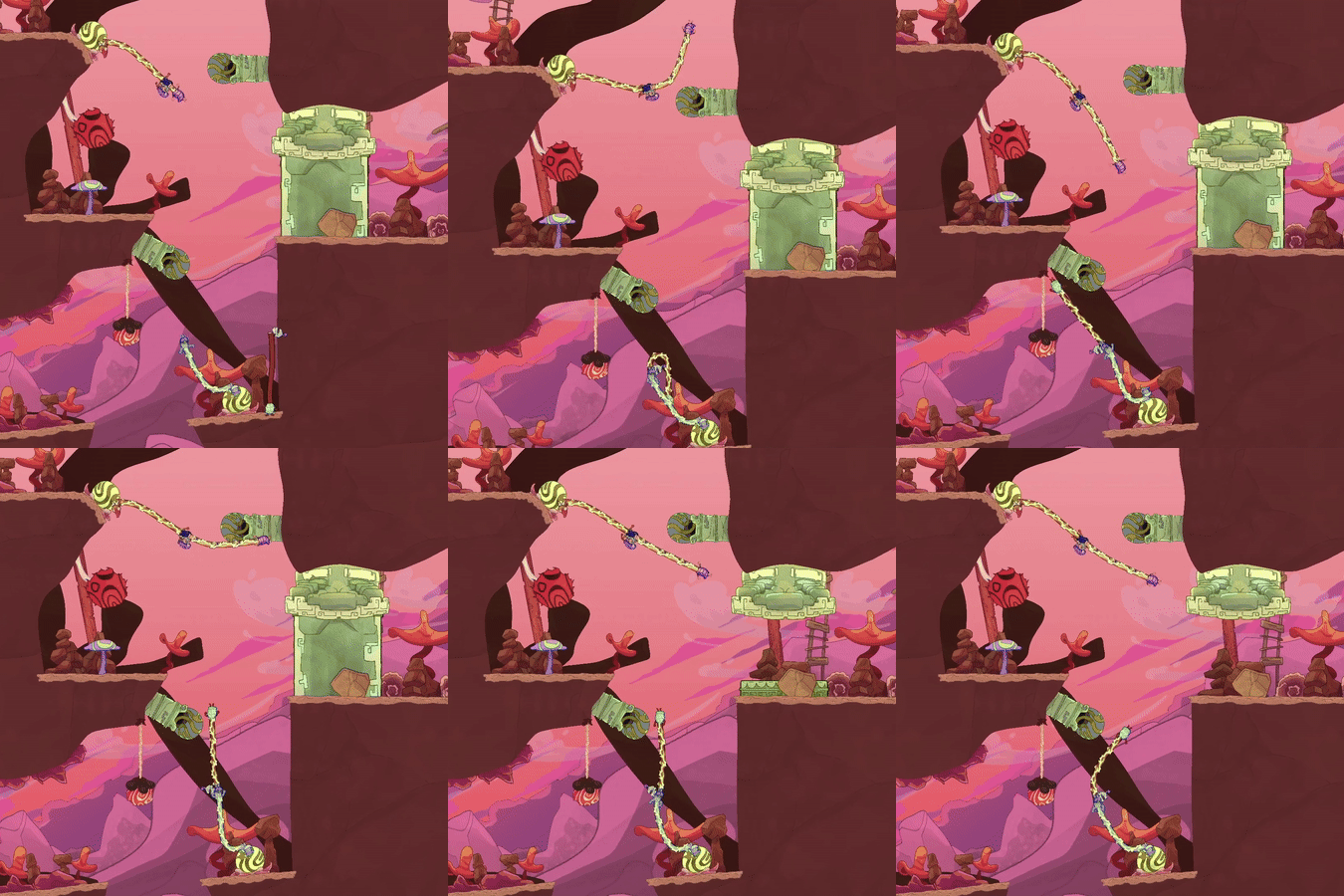
Electric Cluster
Players act as a wire connection between electrified turtles and transfer electricity to sockets to power doors or bridges Playtesting it is always extremely fun and really requires coordination between all 4 players. There are many scenarios where players have to coordinate with each other in a 4 person chain but also scenarios where players can get split up into 2 groups of 2 and coordinate that way.
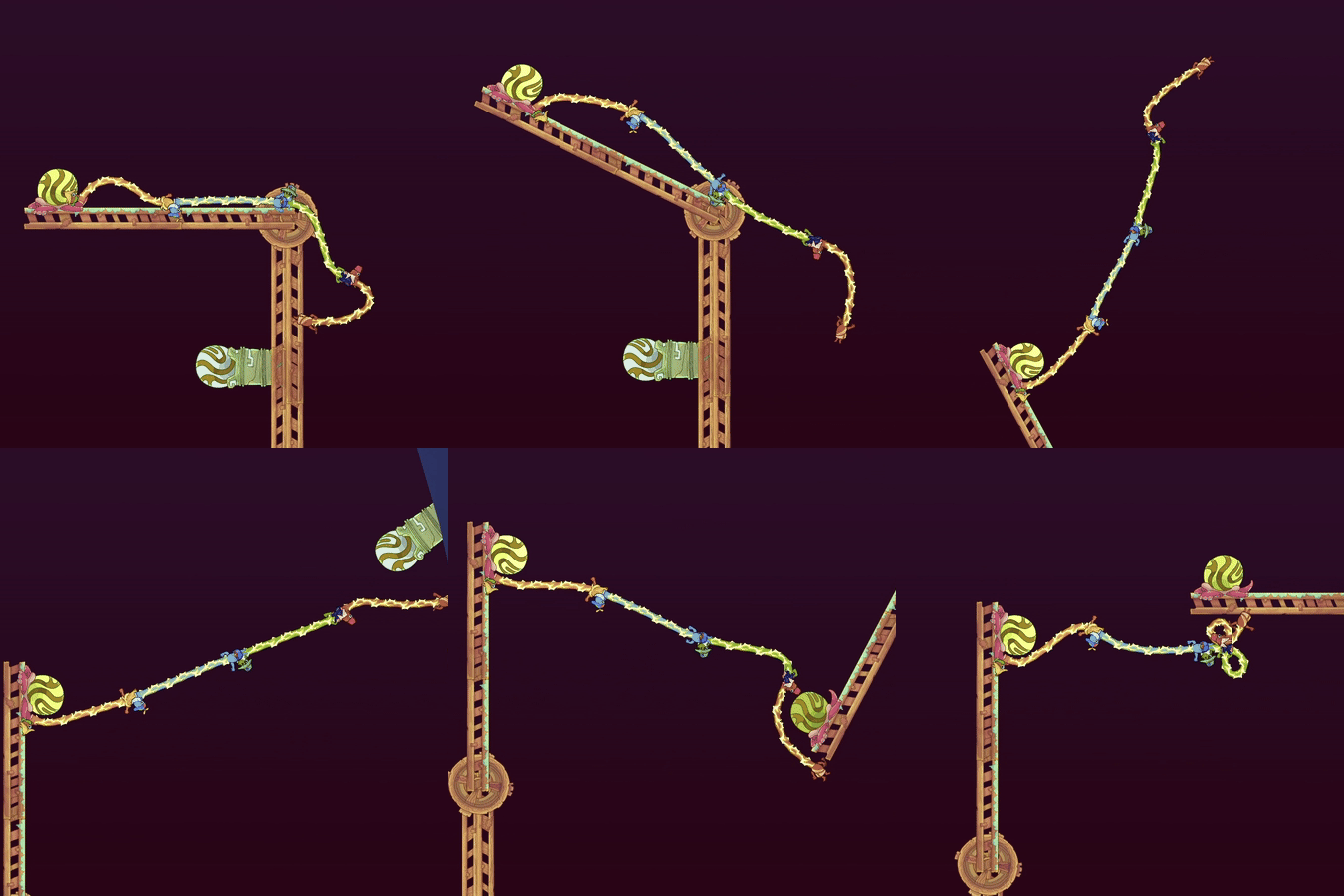
Bridge w/ Electric Cluster
A Bridge that has a Electric Cluster attached to the end tip of it. Allows for some fun puzzles scenarios. A nice interaction between two mechanics. There are a lot of cool puzzle scenarios where you have to use the Cluster to rotate a bridge and then activate a cluster on said bridge and then use the newly charge cluster to rotate the same bridge to progress.
Level Design Process
Before even going into engine, I plan levels in Excel with Beat Maps. Laying out things like gameplay, objective of level for what I want to teach the player, narrative beat for level, estimated play time, environmental colours/art used, mechanics introduced, mechanics used, etc. Because we did most of our levels in sets of 5, it allowed me to plan the set of levels in terms of what secondary mechanics and player mechanics to introduce to the player and when to introduce them so there is proper player progression/learning and scaling difficulty with each level.

Excel Sheet for our Campaign mode designed for solo play
Another great tool that we used was the website Miro. It achieved the same thing as Excel but it was a lot more visual and allowed for easier collaboration with the team which was great for the levels because outside of my roles for level design and game design there was the music, art and narrative aspects of the levels that my other teammates were in charge of.

Miro board for Campaign mode/New Player Experience
Grey Boxing
In terms of my process of designing levels, I always grey boxed levels by using easy to edit terrain and basic shapes with different colours as placeholders for mechanics. This allows me to design puzzles, change/remove them, move big groups of sections quickly and easily. I also often think of scenarios with mechanics or scenarios that work in context, just maybe not for this specific area of a level or the level as a whole so I also tend to just do some quick designs on the side to save them for when I think they would fit.

Example of grey boxing with first and final iteration of a level
Teach, Test, Challenge
My main approach to levels in Esophaguys was the "Teach, Test, Challenge" method. Teaching the player the mechanic in its most basic form in a safe environment, testing the player by using the mechanic in a new way or combining the mechanic with another mechanic and finally challenging the player by adding some difficulty using the mechanic and/or combining it with more mechanics.
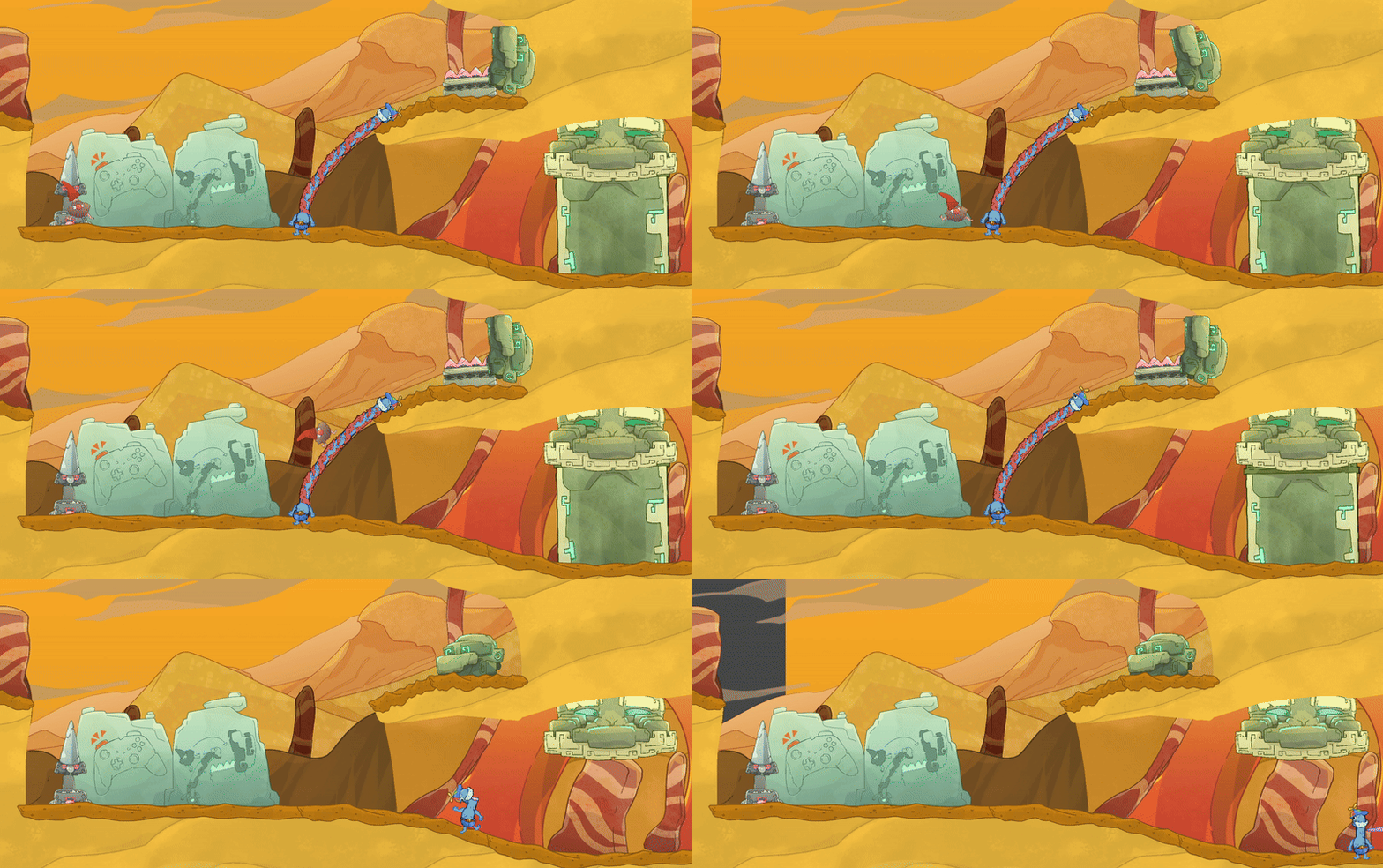
Teach: Teaching player how to use gnomes, safe environment, no hazards, accompanied by controls of what button to press and image of the expected outcome/solution to progressing.
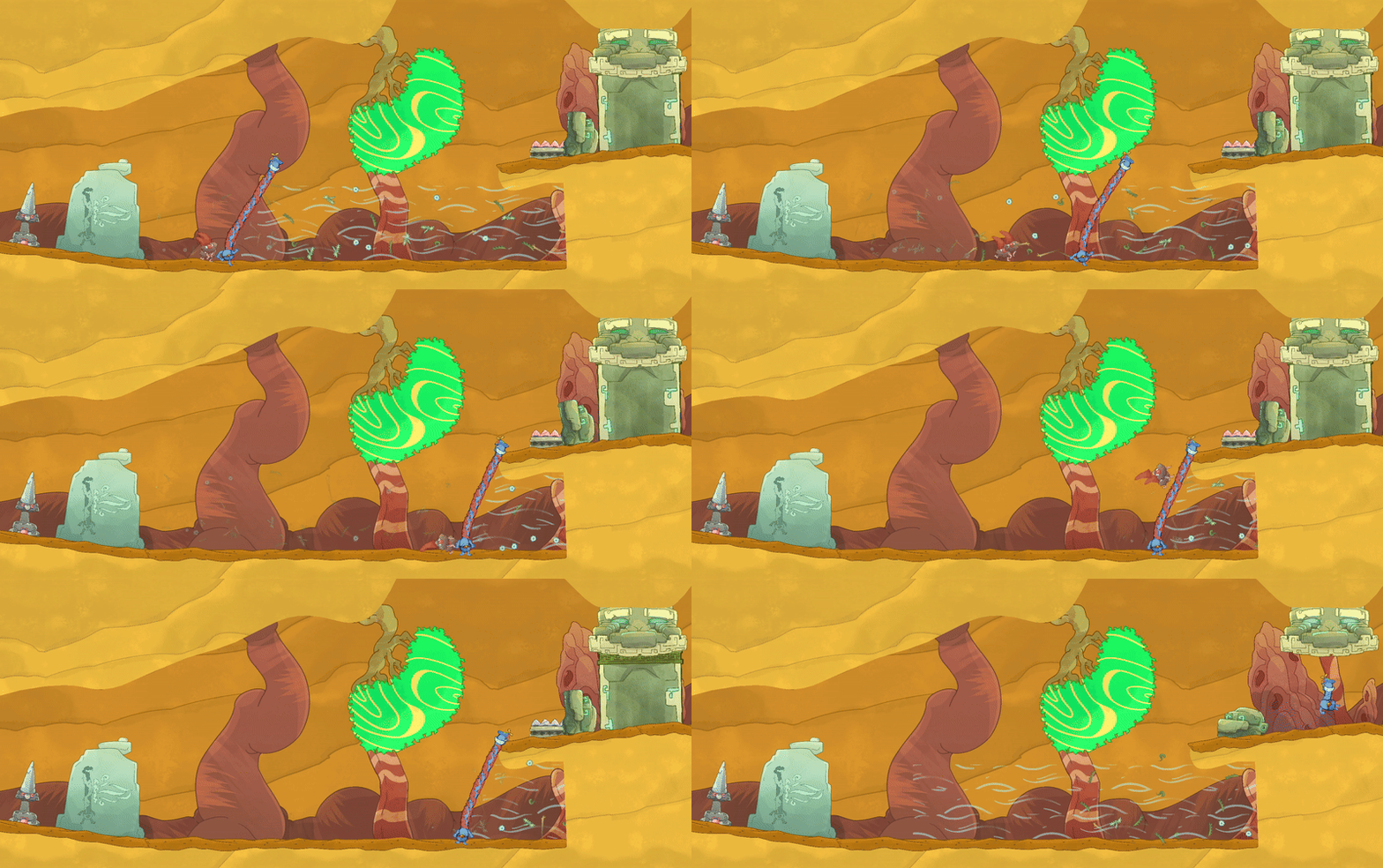
Test: Combining a new mechanic (windtunnel), safe environment, no hazards, another image of expected outcome for progression.
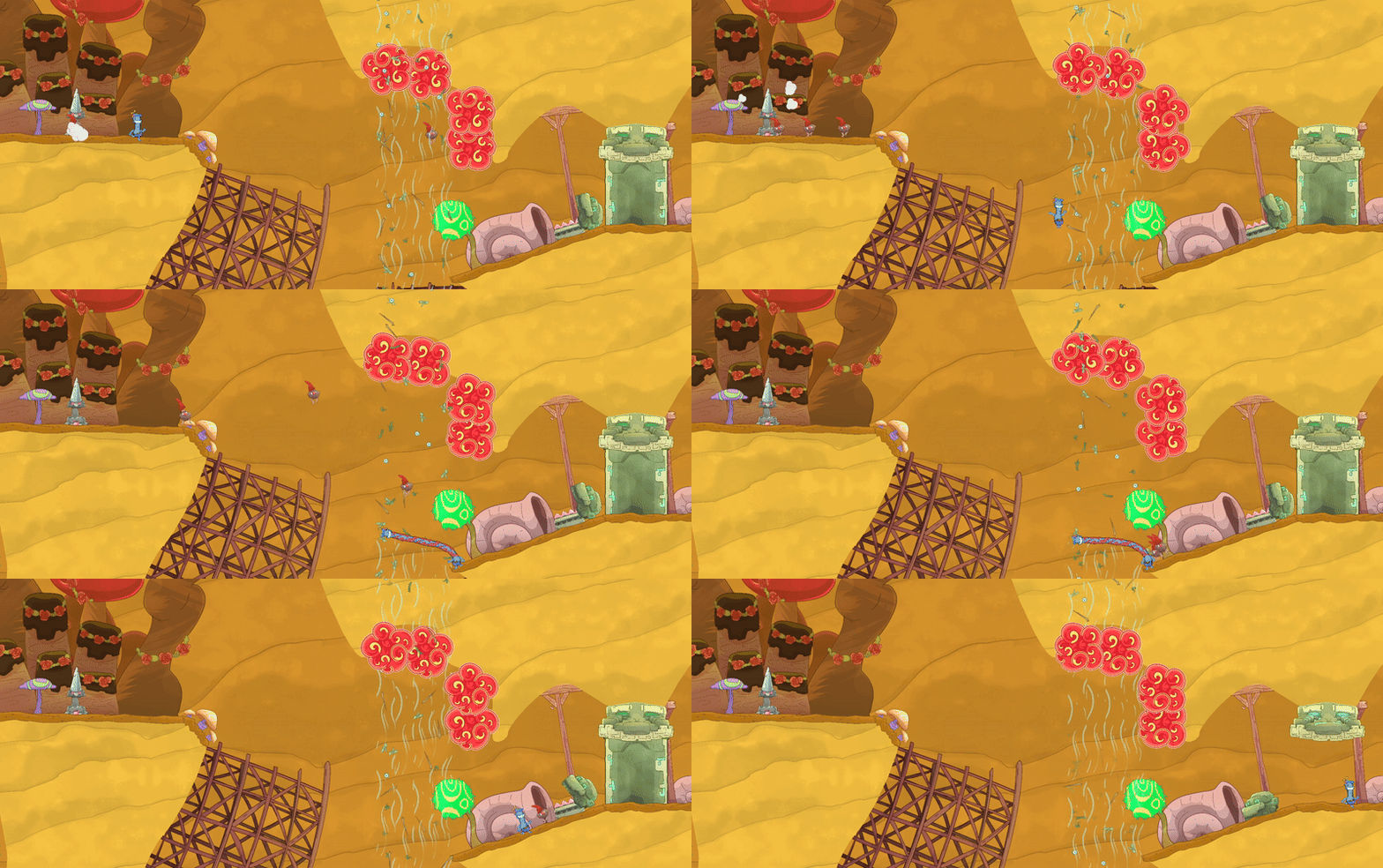
Challenge: Adding a new mechanic (bouncy mushroom), a previous mechanic (windtunnel), hazards (death pit and death colliders), no image of expected outcome or controls
Iterative Design Cycle
Once I had a good base for my level in terms of a layout and the secondary mechanics were playable, I would run multiple tests with the other developers and also lots of friends to get any feedback I could from them about the level and mechanics. I would argue testing and gathering feedback is the most important step into making your level the best it can be. Without this process, I don't think my levels would've unlocked their full potential. As developers we gain this curse of knowledge by playing our games so much that certain issues are looked over so easily, it's really crucial to have others test your game.
I think my best example of this is not one of the actual levels but instead the Hub World. It went through many many iterations before what it is now. It was also difficult because I was designing with the constraints of the area being very new player friendly, avoiding any sort of tutorial for players so we didn't have to localize anything and also no UI because we wanted to have a very diegetic game.

Very first iteration of the Hub. This had doors that led you to separate scene that had a set of levels to pick from. Positives about this was that it was condensed but negatives were loading times in between scenes and having to use some UI. So we decided to remove the middle man and put all levels in the hub.


Left image was our Hub for our demo but with wanting to implement 3x more levels, a character customization area, secrets in the hub, we needed more space. Right was the left hub compared to the next iteration.

I tried multiple layouts, ones that were way too cluttered and one that had way too much walking when we had an awesome character controller. Top left iteration solved both those issues.
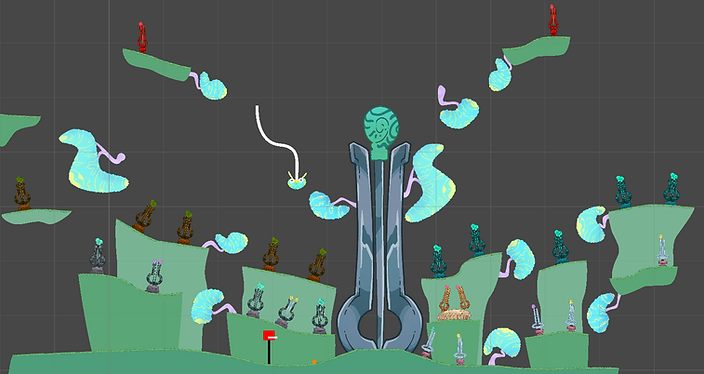
I gave the Hub a central landmark, a Giant Harp, so players can figure out where they are, Giant Harp is also bitable so players can climb it to utilize the character controller and swing in the hub, levels are close together with some trees to swing on, making traversing the area more fun, having a good mix of walking but also swinging for experienced players but also beginner players who are still getting used to the controls.

This is the finalized version of the Hub. Not a whole lot different in terms of the layout from the previous image, lots of touchups from more testing. I think the main addition was our diegetic character customization area below the whole level select area. I'm very please with how it turned out and couldn't have done it without a LOT of feedback.
Revisiting Finished Levels
Through developing a game for 4 years, you not only learn a lot about yourself and improving your design skills but you also learn a lot about your game because it also evolves over time. I don't think anyone making a game doesn't have a situation where designs change or new technology/ideas emerge and cause some sort of pivot or addition to current designs.
This is the final level of our first co-op block. Initially it was designed as a single player level but we decided to create a single player campaign block with secondary mechanics to make it more interesting for solo players. So I transformed this block of solo levels into a 2 person co-op block. This level had the most work done to it, it would've been very short for the final level of a co-op level so I doubled the length of it and extended the cave section. Most levels in the block only had certain metrics changed to fit 2 players like adding gaps so players have to pick each other up and get across or raising up trees so player had to bite chain to reach the tree.

The top left is the solo version of the level and below is the first iteration of the new co-op version.
After deeming this block of levels as done, I went to work on the campaign levels. While this was happening, we came across some new character controller technology that made the player stick to ANY surface, no matter the angle of it. This allowed players to walk on upside down terrain or straight 90 degrees vertically which made walking in the game more fun and allowed for some more interesting level design. So I went back again to this co-op block to progressively introduce this mechanic throughout the levels.
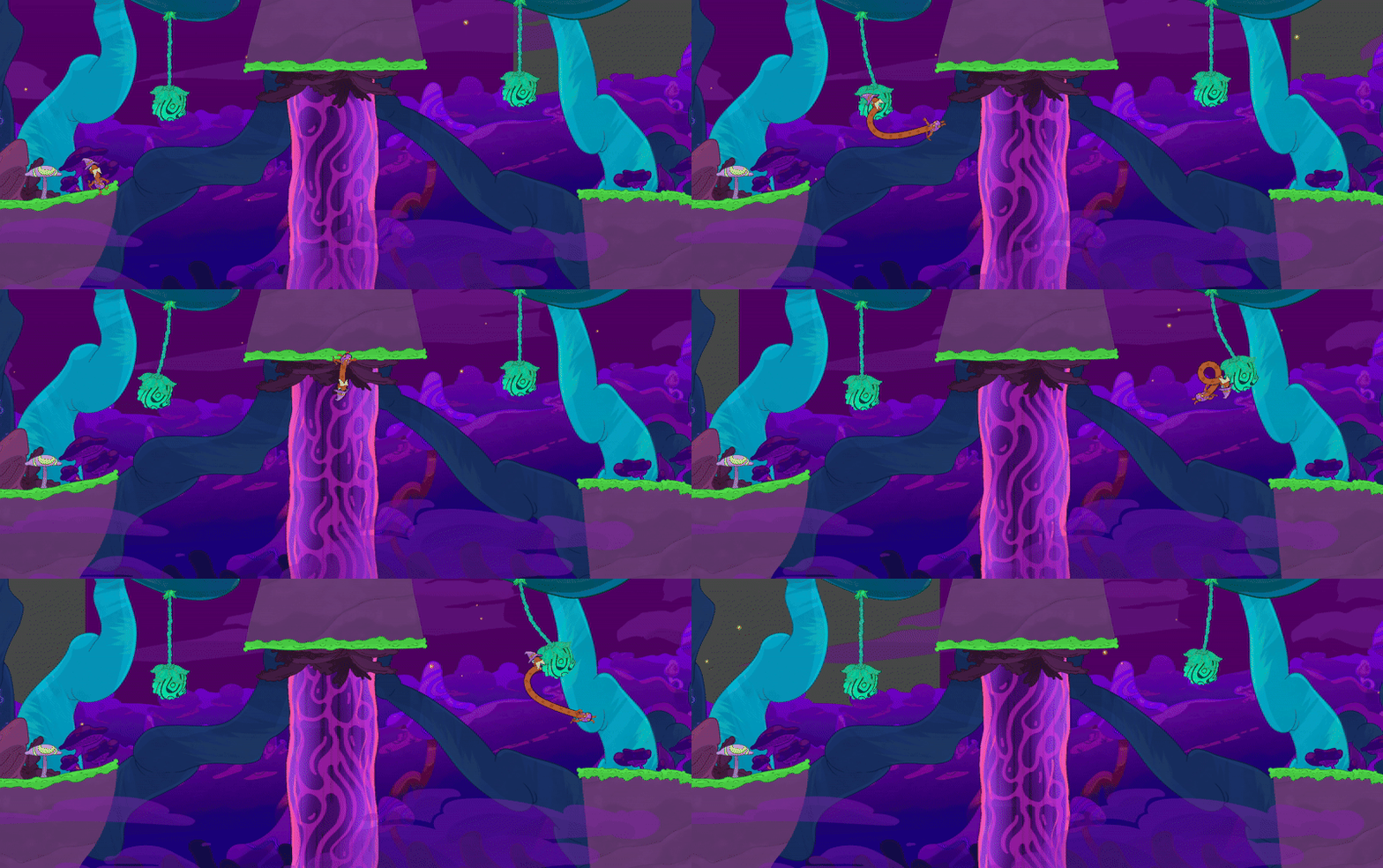
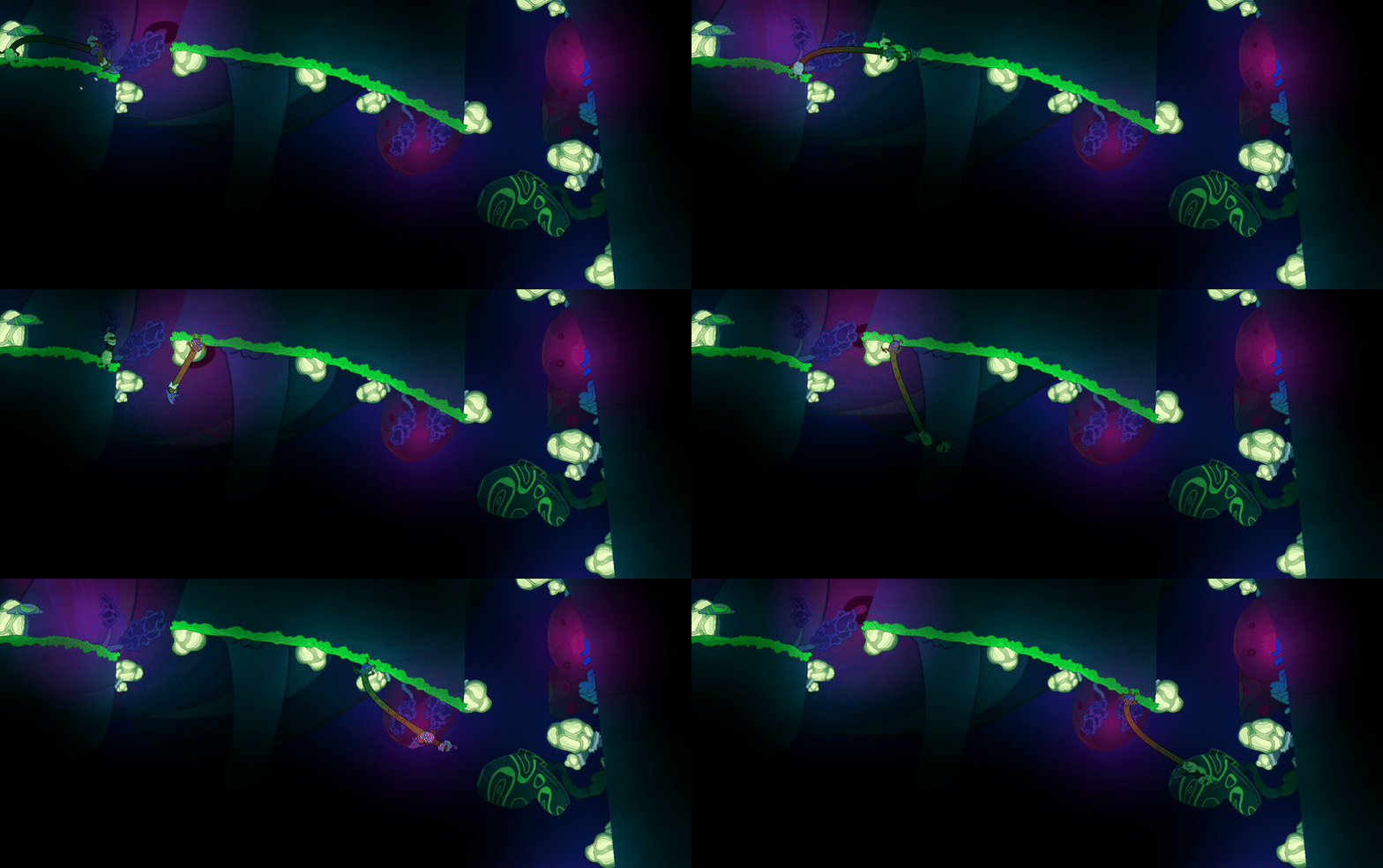
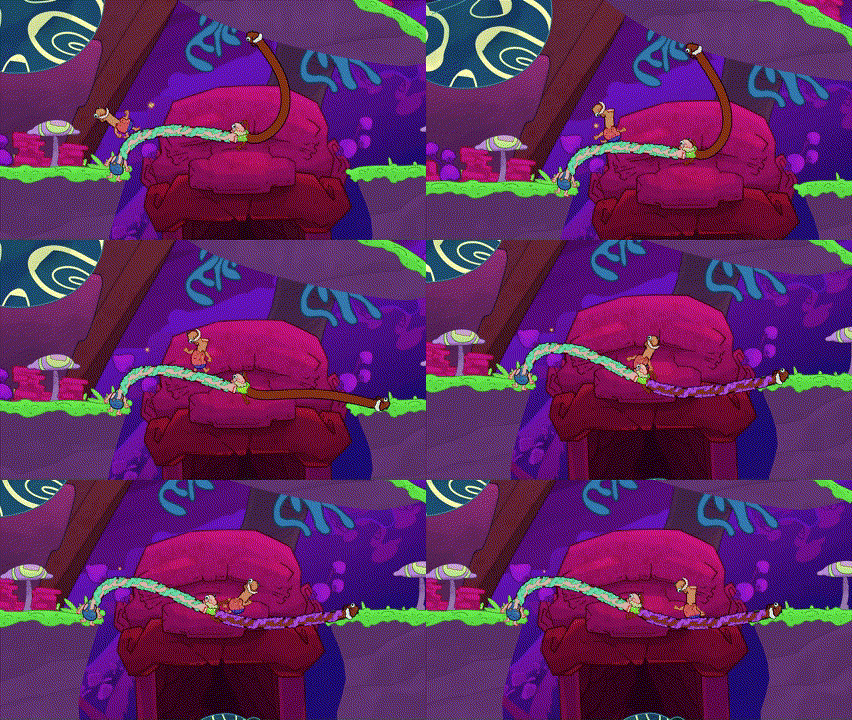
Another example of revisiting levels is when I was designing the last level in our second 2 person co-op block which introduced secondary mechanics to the 2 person co-op environment. I discovered a way to make terrain slippery like a slide when a player stood on it. So during our first playtest of the level which had players sliding right off the bat, it was instantly one of the most fun levels I had made and sliding sections were very popular among playtesters so I went back in the second 2 person co-op block, 4 person co-op block and even campaign to put some sliding sections in them.

First slide I made
What slides evolved to


Example of before vs after implementing a slide in a complete level
Accomplishments and Showcases
Esophaguys has free demos on Steam and Xbox along with full versions on Steam, Xbox, PlayStation and Nintendo Switch
Check out more: https://www.esophaguys.com
Esophaguys has been featured in a number of showcases/festivals since continuing development after graduating school. Most notably:
- LevelUp Showcase in Toronto 2022
- Hand Eye Society's Super Festival 2022
- OTK Game Expo 2023 with 150,000 concurrent viewers
- Dreamhack Atlanta 2023
- Mix San Francisco 2024
- Day of the Devs in San Diego 2024
- Tokyo Game Show's 2024 Sense of Wonder where we were the Grand Prix award winners!
I went to the Dreamhack, Mix and Tokyo Game Show showcases myself and the best thing about these shows is seeing players actually play our game, laugh out loud with their friends/family and seeing people come back to play a second or third time because of how much they enjoyed it! Those experiences are what keep me motivated and remind me why I love making games.

Dreamhack Atlanta 2023
Esophaguys on OTK Games Expo 2023 (1:46:00)

Day of the Devs 2024

Tokyo Game Show 2024: Sense of Wonder team picture